Here is the development environment at the time of posting.
PC: Windows 10 OS
IDE: STM32CubeIDE Version1.6.0
Configurator: STM32CubeMX Version6.2.1
Board: STM32Nucleo-F401RE
Download the project
Download the project as a zip file from here and unzip it.
Once unzipped, a folder called F401mbedBase will be created.
Import the project
Start the IDE and select File – Import.
Select General – Existing Projects into Workspace and click the Next button.
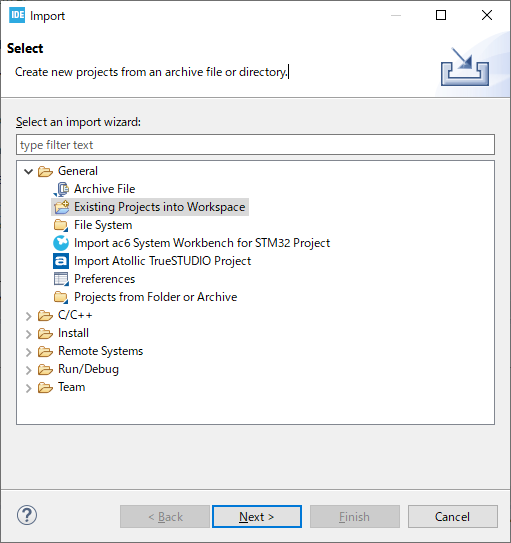
With the Select root directory selected, click the Browse… button on the right to select the project to import. Click on the “Finish” button.
The project to import is F401mbedBase.
Build and run
Project – Build Add to make sure there are no errors, then Run – Debug.
It will stop at DigitalOut myLed(LED1); under main(), so press the F6 key to step through.
int main(void)
{
  /* USER CODE BEGIN 1 */

  DigitalOut myLed(LED1);

  myLed = 0;
  myLed = 1;
  myLed = 0;
  myLed = 1;
If LD2 blinks, you have succeeded.
Some classes of Mbed OS2 can be found here for your reference.


